Debian is one of the most stable and widely used Linux distributions — and a great choice for running OpenClaw. Whether you're on Debian 11 (Bullseye) or 12 (Bookworm), the OpenClaw Linux installer works natively with no workarounds required. Install Node.js, run one curl command, and your AI agent is live.
This guide covers every step — from system setup to connecting your agent on Telegram or WhatsApp. Want to skip the setup? Ampere.sh runs OpenClaw for you in the cloud.
Debian 11 vs 12 — Which Version to Use?
Both Debian 11 (Bullseye) and Debian 12 (Bookworm) work well with OpenClaw. Here's a quick comparison:
TL;DR: For new setups, go with Debian 12 (Bookworm) — longer support and latest tooling. Already on Debian 11? Stay on it — everything works perfectly.
Debian Requirements for OpenClaw
Make sure your Debian machine meets these requirements before you start:
Note: Debian minimal installs sometimes don't include sudo. If you get "command not found", install it as root: apt install sudo -y, then run usermod -aG sudo your-username and log out/in.
How to Install OpenClaw on Debian (Step by Step)
Follow these steps in order. The entire process takes about 10 minutes on a fresh Debian install.
Step 1: Update Your System
sudo apt update && sudo apt upgrade -y
sudo apt install -y curl wget git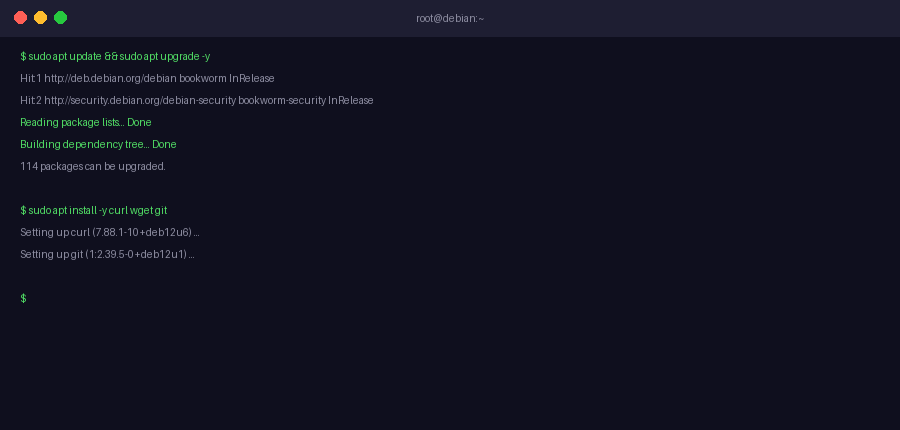
Step 2: Install Node.js 22+ via NodeSource
Debian's default apt repositories ship an outdated Node.js version. Use NodeSource to get Node 22:
curl -fsSL https://deb.nodesource.com/setup_22.x | sudo -E bash -
sudo apt install -y nodejs

# Verify
node --version   # Should show v22.x.x or higher
npm --version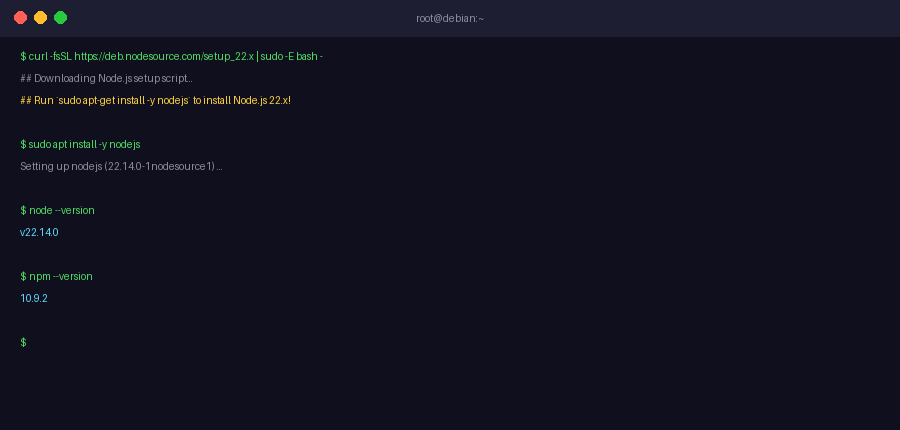
Step 3: Run the OpenClaw Linux Installer
curl -fsSL https://install.openclaw.ai | bashAfter the installer finishes, reload your shell:
source ~/.bashrc
openclaw --version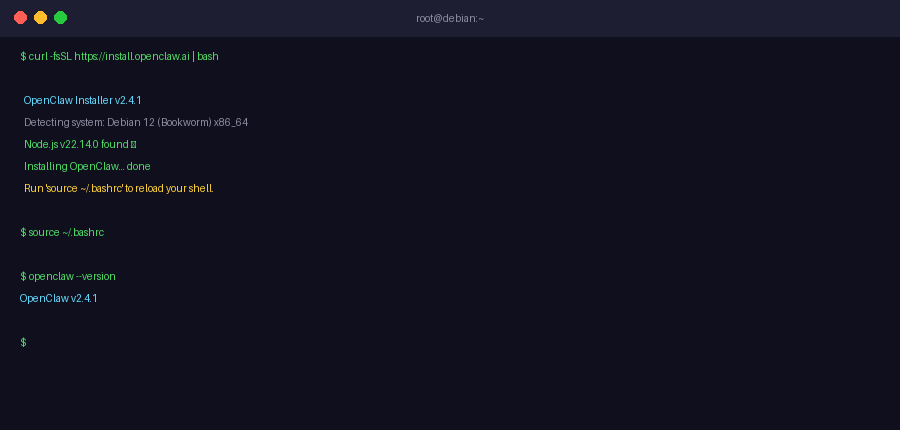
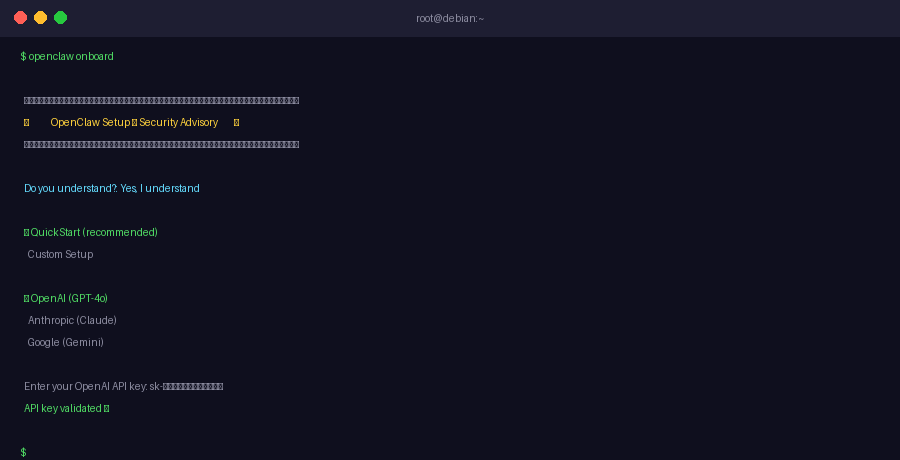
Step 4: Run the Onboarding Wizard
openclaw onboard- Accept the security advisory — select "Yes, I understand"
- Choose QuickStart mode for safe defaults
- Select your AI provider (OpenAI, Claude, Gemini, or others)
- Enter your AI provider API key
- Skip skills for now — you can add skills later
- Enable bash shell completion when prompted
Step 5: Connect a Messaging Channel
Option A: Telegram
- Open Telegram and search for @BotFather
- Send
/newbotand follow the prompts - Copy the bot token BotFather gives you
- Run:
openclaw connect telegram— paste the token when prompted - Your agent is now live on Telegram
Option B: WhatsApp
- Run:
openclaw connect whatsapp - Scan the QR code with WhatsApp on your phone
- Go to Settings → Linked Devices → Link a Device
Step 6: Enable Auto-Start with systemd
openclaw onboard --install-daemon
systemctl status openclaw
You should see Active: active (running). OpenClaw now starts automatically on every reboot.
Step 7: Secure the Port with UFW
sudo apt install -y ufw
sudo ufw allow ssh
sudo ufw deny 18789
sudo ufw enable
Dashboard stays accessible locally at http://localhost:18789. For full hardening, see the OpenClaw security guide.
Real Use Cases of OpenClaw on Debian
Once your agent is live, here's what people actually use OpenClaw for on Debian:
Server Monitoring via Chat
Message your agent on Telegram to check CPU usage, disk space, memory, or uptime — without opening an SSH terminal.
Scheduled Automations
Run daily backups, cleanup scripts, or reports automatically using cron jobs on Debian and OpenClaw skills.
Personal Dev Assistant
Ask your agent to review code, explain error logs, write bash scripts, or summarize documentation from any device.
Custom Alerts and Notifications
Set up alerts for website downtime, high server load, or file changes and get instant Telegram or WhatsApp messages.
Research and Summarization
Ask your agent to search the web, summarize articles, or pull content from URLs — results delivered straight to your chat.
File and Data Management
Organize folders, rename files in bulk, process CSVs, or summarize documents through a simple chat command.
Frequently Asked Questions
Does OpenClaw work on Debian 10 (Buster)?
Do I need a desktop environment to run OpenClaw on Debian?
Does Debian have sudo installed by default?
How much RAM does OpenClaw need on Debian?
How do I check if OpenClaw is running on Debian?
How do I update OpenClaw on Debian?
Can I run OpenClaw on a Debian VPS?
Where does OpenClaw store its config on Debian?
Skip the Setup — Let Ampere.sh Run OpenClaw for You
Don't want to manage a Debian server? Ampere.sh deploys and maintains your OpenClaw agent in the cloud — no setup, no terminal, no maintenance.
Try Ampere.sh